cherab.phix.tools.spinner.Spinner#
- class cherab.phix.tools.spinner.Spinner(text='Loading...', interval=0.1, frames=['⢿', '⣻', '⣽', '⣾', '⣷', '⣯', '⣟', '⡿'], timer=False, side='left')Source#
Bases:
objectImplements a context manager that spawns a child process to write spinner frames into a tty (stdout) duringcontext execution.
- Parameters:
text (str) – Text to show along with spinner, by default “Loading…”
interval (float) – spinners wait time, by default 0.1 sec
frames (Iterable[str]) – spinner animated frames, by default
["⢿", "⣻", "⣽", "⣾", "⣷", "⣯", "⣟", "⡿"]timer (bool) – Prints a timer showing the elapsed time, by default False
side (str) – Place spinner to the right or left end of the text string, by default “left”
Examples
In test.py,
import time
from cherab.phix.tools import Spinner

# Use as a context manager
with Spinner():
    time.sleep(3.0)

# Context manager with text
with Spinner(text="Processing..."):
    time.sleep(3.0)

# Context manager with custom sequence
with Spinner(frames="-\|/", interval=0.05):
    time.sleep(3.0)

# As decorator
@Spinner(text="Loading...")
def foo():
    time.sleep(3.0)
foo()

# Context manager writing message
with Spinner() as sp:
    # task 1
    time.sleep(1.0)
    sp.write("> image 1 download complete")

    # task 2
    time.sleep(2.0)
    sp.write("> image 2 download complete")

    # finalize
    time.sleep(1.0)
    sp.ok("✅")
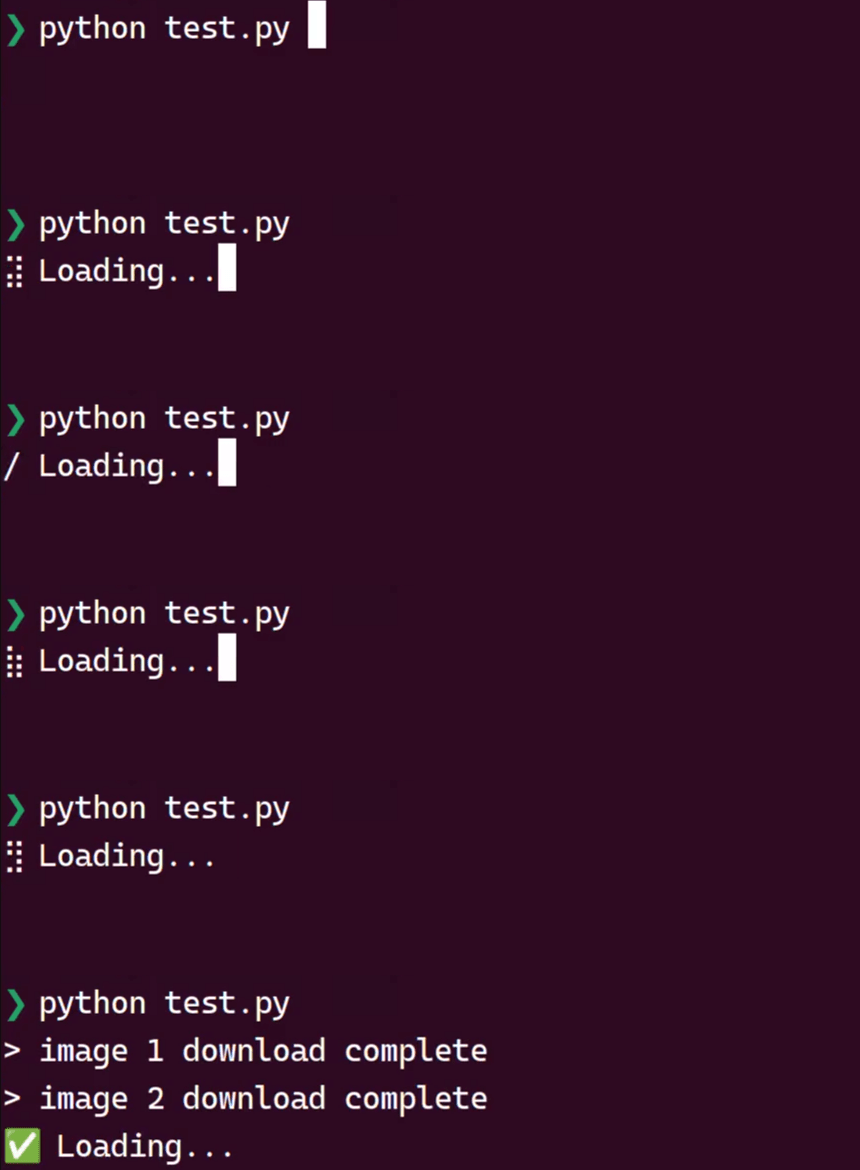
Here is the result when the above script is excuted.
Methods
__call__(fn)Call self as a function.
fail([text])Set fail finalizer to a spinner.
hidden()Hide the spinner within a block, can be nested.
hide()Hide the spinner to allow for custom writing to the terminal.
ok([text])Set Ok (success) finalizer to a spinner.
show()Show the hidden spinner.
start()Start spinner process.
stop()Stop spinner process.
write(text)Write text in the terminal without breaking the spinner.
Attributes
Return calculated elapsed time.
Spinner animated frames.
Spinners wait time.
Place spinner to the right or left end of the text string.
Text to show along with spinner.
Prints a timer showing the elapsed time.